TL;DR
- MCP is the open standard for AI-to-tool connections: databases, browsers, design files, deployment platforms, issue trackers, and more all speak the same protocol.
- MCP servers are client-agnostic: one server works with Claude Code, Cursor, Windsurf, VS Code, and any other compliant host.
- Remote MCP servers are the 2026 default: GitHub, Vercel, Linear, Notion, Supabase, Stripe, and Figma now publish OAuth-secured hosted endpoints so you skip local installs.
- Start with Firecrawl MCP for web data: access the web data API for AI agents (Search, Scrape, Parse, Crawl, Map, Interact) in one MCP server. Try it keyless with no signup, or bring an API key or OAuth account for the full tool surface.
- This guide covers the 10 servers you actually use daily, plus 8 honorable mentions from the wider ecosystem: GitHub, Notion, Supabase, Hugging Face, and more.
The best AI coding agents (Claude Code, Cursor, Codex, Antigravity, Copilot, Devin) are brilliant engines idling in neutral. They can write complex logic, explain architectures, and catch bugs. Without MCP servers, however, they cannot actually do anything in the real world. They cannot check your Figma file, scrape a competitor's docs, run a deployment, or open a browser.
Model Context Protocol changes that. It is the open standard that gives AI assistants a real set of hands.
Since Anthropic released MCP in November 2024, the ecosystem has grown to over 17,000 publicly listed servers. OpenAI and Google DeepMind adopted it in early 2025, and it was donated to the Linux Foundation's Agentic AI Foundation in December 2025, cementing its status as the universal interface between AI and the tools developers actually use. Protocol standardization like this is one of the recurring agentic AI trends of 2026: the infrastructure is settling around a small set of shared standards rather than a fresh custom integration per app.
The adoption numbers match. Zuplo's State of MCP survey (Dec 2025) found 72% of MCP users expect their usage to increase in the next 12 months, 70% already run between 2 and 7 servers simultaneously, and 49% cite developer productivity and time savings as the primary ROI. It is no longer an experiment.
The ecosystem is growing fast as more developers wire MCP into their day-to-day workflow: pulling context for code, running tests, checking deployments, and handing tasks to their AI clients instead of switching windows. The Claude Devs account flagged the shift on X, and the community response makes the momentum easy to see:
This guide covers the 10 most valuable MCP servers for developers right now, regardless of which AI client you use, plus 8 honorable mentions from the wider ecosystem.
What is MCP?
MCP (Model Context Protocol) is an open standard introduced by Anthropic that lets AI assistants connect to external tools, data sources, and services through a single, unified interface.
The problem before MCP
Before MCP, connecting an AI assistant to any external tool meant building a custom integration. GitHub needed its own connector. Postgres needed another. Notion needed another. Every AI client had its own plugin format, and every tool needed a separate implementation for each client.
Anthropic called this the "N x M problem": N tools multiplied by M clients creates an exponentially growing pile of one-off integrations. The result was a fragmented ecosystem where agents were powerful in demos and brittle in practice.
MCP: a universal adapter
MCP introduces a universal interface between AI models and the tools they need to access. Think of it as USB-C for AI: one standard connector that works everywhere.
The protocol is built on JSON-RPC 2.0 and defines three primitives:
- Tools: actions an AI can invoke (run a search, create a file, deploy code)
- Resources: data sources the AI can read (files, database records, API responses)
- Prompts: reusable templates the server can expose to the client
MCP supports two transport types:
- stdio: runs locally on your machine, managed by the AI client automatically
- SSE/HTTP: runs remotely or locally, communicated over a network endpoint
Remote vs. local MCP servers
Two hosting modes exist and both are worth using:
| Local MCP | Remote MCP | |
|---|---|---|
| Runs on | Your machine (subprocess) | Vendor's cloud endpoint |
| Transport | stdio | Streamable HTTP or SSE |
| Auth | API key in local config | OAuth in the browser |
| Best for | Filesystem, local DBs, browser sessions | GitHub, deployment platforms, issue trackers, SaaS |
The trend is toward remote: Zuplo's State of MCP survey (Dec 2025) found 59% of MCP builders now use Streamable HTTP versus 34% on stdio. GitHub, Vercel, Linear, Notion, Supabase, Stripe, Figma, and Hugging Face all ship official remote endpoints in 2026. A typical Claude Code setup looks like this:
claude mcp add -s user -t http github https://api.githubcopilot.com/mcp/The -t http flag says "streamable HTTP endpoint." First use triggers OAuth in the browser, and your credentials never touch the config file. Most working setups mix both: local for anything that touches disk, remote for anything with a hosted API.
MCP architecture
The protocol defines three roles:
| Role | What it is | Example |
|---|---|---|
| Host | The application that runs everything | Claude Desktop, Cursor, VS Code |
| Client | The component inside the host that connects to servers | The MCP client built into Cursor |
| Server | The program that exposes tools and data | Firecrawl MCP, GitHub MCP |
Each client maintains a one-to-one connection with each server. A host can connect to many servers simultaneously.
MCP security
Security is the single biggest concern in the ecosystem right now. In Zuplo's 2025 survey, 50% of MCP server builders named security and access control as their top challenge, and 38% of all respondents said security concerns were the main blocker to broader adoption. 24% of surveyed servers still run with no authentication at all. Connecting MCP servers to your tools grants real access. Treat it accordingly:
- Start read-only. Grant write access only after you have observed how your AI uses the tools in practice.
- Scope credentials tightly. Use dedicated API keys with minimum required permissions. Never reuse production credentials for MCP.
- Keep secrets out of config files. Store API keys as environment variables so they do not end up in version control.
- Prefer official servers. Use implementations from the service provider (GitHub's own MCP server, Sentry's own MCP server) rather than unreviewed community forks.
- Watch for prompt injection. MCP servers that return web content can be vectors for injected instructions. Review what each server returns before giving it write access.
Where to find MCP servers
- modelcontextprotocol.io/examples: official reference implementations
- awesome-mcp-servers: community-maintained curated list
- glama.ai/mcp/servers: searchable marketplace with previews
- Docker MCP Catalog: containerized servers with built-in isolation
MCP vs. plugins: what's the difference?
You might wonder how MCP compares to browser extensions, IDE plugins, or the ChatGPT plugin system that launched in 2023. They are fundamentally different in three ways.
MCP is client-agnostic. A Chrome extension only works in Chrome. A ChatGPT plugin only works in ChatGPT. An MCP server works with any compliant host: Claude Desktop, Claude Code, Cursor, Windsurf, VS Code, Cline, all of them. You build or install a server once, and every AI client you use can access it.
MCP servers can take real actions. Browser extensions typically modify the UI or intercept requests. Plugin systems like ChatGPT's were mostly read-only API calls. MCP servers can read and write: creating GitHub issues, deploying to Vercel, running code in a sandbox, writing files. They are closer to microservices than to browser extensions.
MCP uses a proper open protocol. Rather than a proprietary plugin API that changes with each model provider's whims, MCP is an open standard governed by the Agentic AI Foundation. Your servers do not break when a provider updates their product.
MCP is the standard for agent-to-tool communication. If you are also curious about how AI agents communicate with each other, see MCP vs A2A: which agent protocol should you use?. If you are wondering whether to use MCP or CLI tools for integrations, see MCP vs CLI for AI agents.
Where can you use MCP servers?
MCP is supported across all major AI coding clients as of 2026:
| Client | Notes |
|---|---|
| Claude Desktop | First-class MCP support; config at ~/Library/Application Support/Claude/claude_desktop_config.json |
| Claude Code | CLI-based; run claude mcp add or use .mcp.json in your project |
| Cursor | Config at ~/.cursor/mcp.json (global) or .cursor/mcp.json (project) |
| Windsurf | Config at ~/.codeium/windsurf/mcp_config.json |
| VS Code + GitHub Copilot | Config at .vscode/mcp.json in the workspace |
| Cline | MCP settings panel in VS Code sidebar |
| Zed | Config in Zed's assistant settings |
| Continue.dev | Config in config.json |
All of them use the same JSON config structure. The only difference is where the file lives. If you want to use Claude Desktop or other AI clients to schedule recurring web tasks, see the dedicated guide for setting up task automation with MCP servers.
{
  "mcpServers": {
    "server-name": {
      "command": "npx",
      "args": ["-y", "package-name"],
      "env": {
        "API_KEY": "your-key"
      }
    }
  }
}
The 10 best MCP servers for developers
1. Firecrawl MCP: the web data API for AI agents
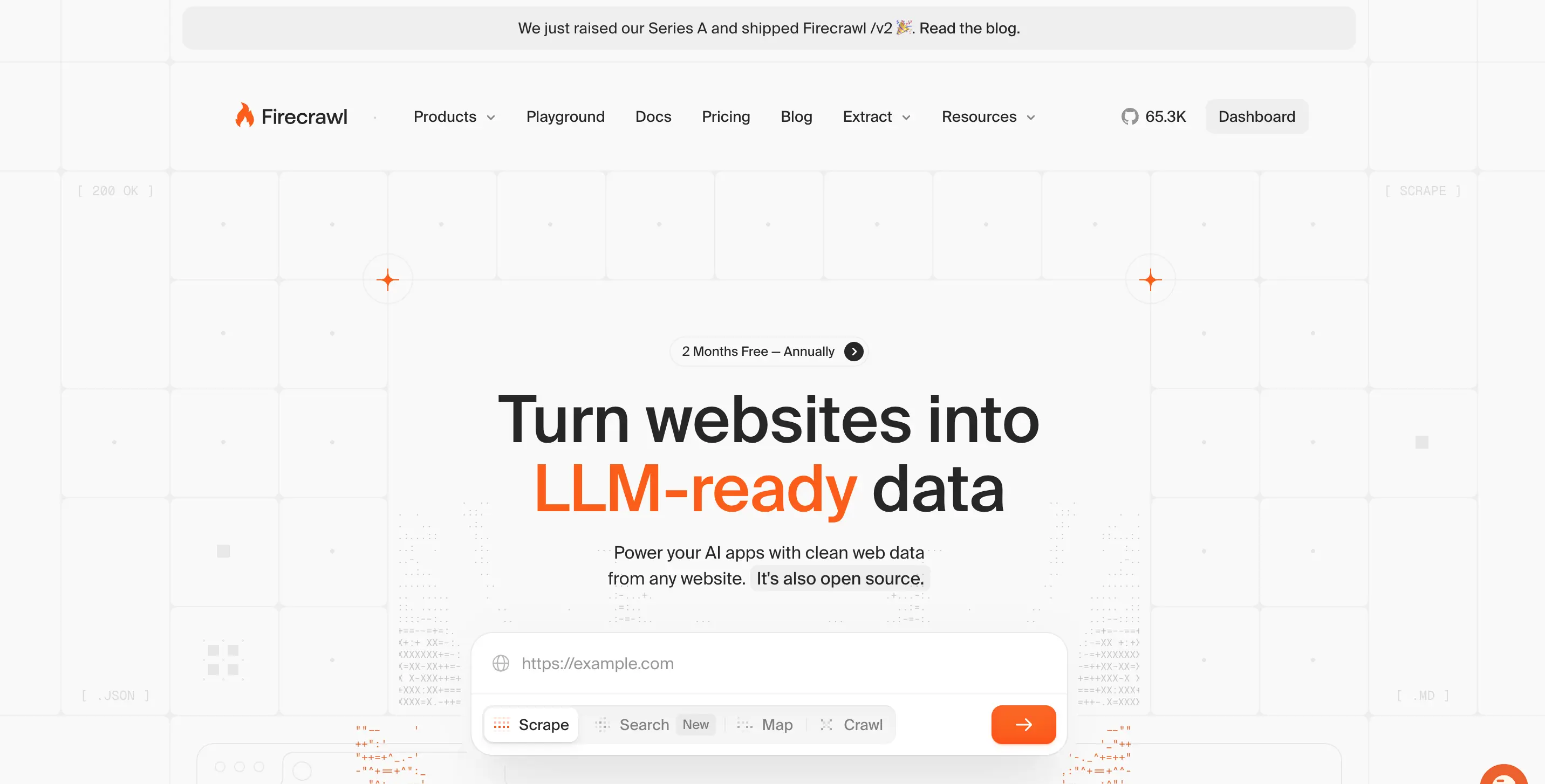
The Firecrawl MCP server exposes Firecrawl's full web data API (Search, Scrape, Parse, Crawl, Map, and Interact) as tools your AI can call directly. It is one of the most widely deployed MCP servers in production AI workflows, and Claude Code, Codex, Cursor, and Antigravity already route web tasks to it by default.
What it does:
Firecrawl covers the full Find → Extract → Clean → Use loop for web context:
firecrawl_search: search the live web and return full pages, not just links, with time-based filters (qdr:d,qdr:w,qdr:m). Search is the front door of the workflow.firecrawl_developer_search: query the Firecrawl Developer Index, a semantic index over 70M+ developer artifacts (READMEs, GitHub issues, pull requests, OpenAPI specs, and external docs) refreshed daily, with filters fortypes,repos,language,min_stars, and more. It ranked #1 overall on the DevDex benchmark, so coding agents get the specific PR that fixed a bug or the doc page that answers a question, not a general web result.firecrawl_scrape: turn any URL into clean Markdown or structured JSON, with mobile rendering, tag filtering, and JavaScript waiting. Works on the real web (JS-heavy SPAs, geo-sensitive sites, and pages other scrapers choke on).firecrawl_parse: convert PDFs and documents into usable text, so AI agents can read reports, whitepapers, and manuals alongside HTML. If you are evaluating the best PDF parsers for RAG separately, this covers the same job inside the MCP surface.firecrawl_crawlandfirecrawl_check_crawl_status: asynchronously crawl entire sites with configurable depth, deduplication, and domain constraints.firecrawl_map: discover site structure fast before deciding what to scrape.firecrawl_interact: scrape a page and take actions in it (click buttons, fill forms, log in, navigate deeper) using natural language prompts or Playwright code. Sessions support persistent profiles for staying logged in across scrapes. (announcement)firecrawl_agent: launch an autonomous research agent that browses, searches, and compiles structured reports across the web.
Setup: pick one of three modes
The Firecrawl MCP connect docs list three ways to wire this up. Pick the one that matches your client and threat model:
| Mode | Endpoint | Best for | Credentials |
|---|---|---|---|
| Keyless | https://mcp.firecrawl.dev/v2/mcp | Trying Firecrawl fast, with no signup | None (rate-limited per IP, exposes Search, Scrape, and Parse) |
| Account (OAuth) | https://mcp.firecrawl.dev/v2/mcp-oauth | Interactive clients like Claude and Codex | Short-lived resource-bound tokens |
| Unattended | https://mcp.firecrawl.dev/v2/mcp + Authorization: Bearer <FIRECRAWL_API_KEY> | CI, servers, scripts, headless setups | API key in an env var or secret store |
Keyless is the fastest path: paste the URL into your MCP client's config and start scraping. When you outgrow the per-IP limits or need Crawl, Map, Interact, or Agent, switch to OAuth or an API key. Full client setup examples are in the docs.
Why developers use it:
When you are building a feature and need to find sources, extract content, or interact with a page that hides data behind a click or a login, Firecrawl handles the full loop without leaving your editor. The firecrawl_agent tool is especially powerful: give it a research prompt and it plans its own browsing strategy, gathering data from multiple sources before returning a structured result. And because Search is the entry point, a single call can find fresh sources and scrape them in one step, so agents get clean, usable context in one round-trip.
Example prompts:
- "Find the latest benchmarks comparing Redis and Valkey, then scrape the top three sources into structured JSON"
- "Search for React 20 release notes and summarize the breaking changes"
- "Use the Firecrawl agent to research the top 5 vector databases and return a structured comparison table"
- "Log into staging.acme.com, navigate to /admin/reports, and extract the last 7 days of KPIs"
Full documentation: Firecrawl MCP | Setup: Connect Firecrawl MCP | Also see: How to set up and use Firecrawl MCP in Cursor
2. Figma MCP - design to code
Figma's official Dev Mode MCP server exposes the live structure of whatever you have selected in Figma directly to your AI, including hierarchy, auto-layout rules, variants, text styles, spacing tokens, and component references. Your AI generates code against the real design rather than guessing from a screenshot.
What it does:
- Expose selected Figma layers with full structural detail, not just pixel dimensions
- Surface design tokens, color styles, and typography definitions
- Provide component variants and their properties
- Return auto-layout constraints and spacing rules
Why developers use it:
The design-to-code gap is one of the biggest sources of friction in frontend development. Developers either receive static screenshots and have to guess at spacing values, or they spend time in Figma's inspect panel manually extracting properties. With the Figma MCP, your AI can read the actual design spec and generate component code that respects the design system down to the exact border radius and token name.
Example prompts:
- "Implement the selected Figma component as a React component using Tailwind"
- "What are the spacing tokens and color variables used in this design?"
- "Generate a CSS file that matches the typography styles from this Figma frame"
3. Brave Search MCP - real-time web search
The Brave Search MCP server gives your AI the ability to search the live web using Brave's independent search index. No Google tracking, no ad-skewed results, and no knowledge cutoff. It sits alongside Exa, Tavily, Perplexity Sonar, and Firecrawl in the wider set of search tools for AI agents.
What it does:
- Perform web and news searches with ranked results
- Access both general web results and local business data
- Return snippets and URLs your AI can then fetch and process
Why developers use it:
Your AI's training data has a cutoff date. New library releases, recent CVEs, current framework best practices, and emerging tools are not in it. A web search MCP bridges that gap. Brave Search is the most privacy-respecting option with an official MCP implementation, and the API has a generous free tier.
Example prompts:
- "Search for the latest security advisories for Express.js and summarize any critical ones"
- "Find current benchmark comparisons between Bun and Node.js for HTTP throughput"
If you need to retrieve full page content rather than just search snippets, Firecrawl MCP is the more efficient alternative for research-heavy tasks: Search is the front door of the Firecrawl stack, and a single call returns full pages instead of just links, ready for your AI to use. See our Brave Search API alternatives guide for a full comparison.
4. E2B MCP - secure code execution
The E2B MCP server gives your AI a secure cloud sandbox to actually run code, not just write it. Any AI client connected to E2B can execute Python or JavaScript, run shell commands, install packages, and inspect outputs, all inside an isolated microVM.
What it does:
- Execute Python and JavaScript in isolated cloud sandboxes
- Run shell commands and inspect stdout/stderr
- Install packages and manage dependencies
- Persist sandboxes across multiple tool calls in a session
Why developers use it:
There is a significant difference between an AI that can write a data processing script and one that can run it, check the output, and iterate. E2B closes that gap safely: the sandbox is completely isolated from your machine and production systems. It is particularly valuable for data analysis, migration scripts, and any task where you want to verify logic before committing to it.
Example prompts:
- "Write a script to analyze this CSV file, find duplicates, and generate a summary report, then run it"
- "Test this regex pattern against these 20 edge cases and show me which ones fail"
- "Run the database migration script against the staging snapshot and report any errors"
5. Composio MCP - 250+ integrations in one server
Composio takes a different approach: instead of installing a separate MCP server for each service, you connect one Composio MCP server that exposes tools for over 250 platforms, including GitHub, Slack, Gmail, Notion, Jira, Salesforce, HubSpot, and hundreds more. Authentication is managed through Composio's dashboard, so you never handle OAuth flows manually.
What it does:
- Expose tools for 250+ apps through a single MCP endpoint
- Manage OAuth, API key storage, and token refresh automatically
- Let you pick which apps and which specific actions to expose
- Work as a remote server, requiring no local process to run
Why developers use it:
If you need your AI to touch multiple services at once, setting up individual MCP servers for each is tedious. Say you want it to check a Linear ticket, update the corresponding Notion doc, and post to Slack. Composio handles all of that from one configured connection. It is particularly useful for automation workflows that span several platforms.
Example prompts:
- "Check my Linear queue and for each ticket tagged urgent, create a GitHub issue and notify the #engineering Slack channel"
- "Search my Gmail for any unread messages about the API outage and summarize them"
6. Playwright MCP - browser automation and E2E testing
The Playwright MCP server from Microsoft gives your AI control over a real browser: navigating pages, clicking elements, filling forms, and verifying UI behavior. Unlike screenshot-based approaches, it uses Playwright's accessibility tree for interactions, making it faster and more reliable. If you want a broader comparison across AI browser automation options (Browserbase, Skyvern, Comet, and others), the roundup covers what fits where.
What it does:
- Navigate to URLs and interact with web pages
- Click, type, select, and interact with any element
- Take full-page or element-specific screenshots
- Execute arbitrary JavaScript in the browser context
- Run multi-step E2E scenarios
Why developers use it:
Playwright MCP bridges the gap between writing UI code and verifying it works. You can ask your AI to "navigate to localhost:3000, log in as the test user, fill out the checkout form, and confirm the success message appears" and it will do exactly that. This eliminates the most frustrating category of bug: the one that only shows up in a real browser but not in unit tests.
Example prompts:
- "Navigate to localhost:3000/checkout and verify the payment form submits successfully with test card 4242 4242 4242 4242"
- "Take a screenshot of the dashboard on mobile viewport and identify any layout issues"
- "Run through the signup flow and report the exact error message shown when I submit an invalid email"
7. Vercel MCP - deployment management
The official Vercel MCP server gives your AI direct access to your Vercel projects: monitoring deployments, managing environment variables, checking build logs, and creating new projects. For Next.js and full-stack teams, this eliminates most reasons to leave the editor during a deployment cycle.
What it does:
- List and inspect current deployments (production and preview)
- Fetch build logs for failed deployments
- Create and update environment variables
- Trigger new deployments
- Manage domain configuration
Why developers use it:
The "it works locally but not on Vercel" loop is one of the most annoying parts of web development. With Vercel MCP, your AI can pull the actual build logs from the failing deployment, identify the error, and suggest a fix without you ever opening the Vercel dashboard. It also makes environment variable management significantly less tedious.
Example prompts:
- "My last deployment to production failed. Fetch the build logs and tell me what went wrong."
- "Add the NEXT_PUBLIC_STRIPE_KEY environment variable to the staging environment with this value"
- "List all preview deployments for the feature/checkout-v2 branch"
8. Linear MCP - issue and sprint management
The Linear MCP server connects your AI to your issue tracker. For engineering teams that live in Linear, this eliminates the browser tab you keep open just to log bugs, check sprint status, or update ticket assignees.
What it does:
- Read, create, and update issues and sub-issues
- Manage labels, priorities, assignees, and statuses
- Search across projects and teams by keyword or filter
- Check cycle (sprint) status and progress
Why developers use it:
Developers switch to their issue tracker dozens of times a day for small tasks: logging a bug they just found, checking if something is already tracked, updating a ticket status after a PR merges. Doing all of that through a prompt without leaving the editor adds up to a meaningful reduction in context switching over the course of a week.
Example prompts:
- "Create a bug report in the Backend team project: the /api/users endpoint returns 500 when the email contains a plus sign"
- "What tickets are currently assigned to me in this sprint?"
- "Mark ticket ENG-492 as done and add a comment explaining what the fix was"
9. Context7 MCP - version-accurate documentation
Context7 solves a fundamental problem with LLMs: their training data goes stale. It fetches current, version-specific documentation for thousands of libraries at query time and injects it directly into your AI's context window. For the wider pattern of wiring up-to-date documentation for AI coding agents (crawl, refresh, and version filtering, not just an MCP install), we have a full walkthrough.
What it does:
- Fetch live documentation for any library, pinned to a specific version
- Return actual API references rather than training-data approximations
- Works with no API key required
Why developers use it:
Ask an AI "how do I configure middleware in Next.js 15?" without Context7 and you might get an answer based on how middleware worked in Next.js 13. With Context7, it fetches the actual current docs. This is especially valuable when working with libraries that have changed significantly in recent versions: React 19, Next.js 15, Python 3.13, and anything in the fast-moving AI tooling space.
Example prompts:
- "Using Context7, look up how to implement streaming responses in Next.js 15 App Router"
- "What changed between Pydantic v1 and v2 for model validators? Use current docs."
If Context7's coverage falls short on issues, PRs, or repo context, the best Context7 alternatives roundup covers what to reach for next.
10. Sentry MCP - error monitoring and debugging
The Sentry MCP server connects your AI directly to your error monitoring pipeline. Instead of copying a stack trace out of the Sentry UI and pasting it into a chat window, your AI can pull the full issue including breadcrumbs, environment context, and related events, and work from the actual data.
What it does:
- Fetch full error context, stack traces, breadcrumbs, and related events
- Correlate errors with recent releases and deployments
- Search issues by tag, environment, time range, or error message
- Inspect performance data and transaction traces
Why developers use it:
The usual debugging loop is slow and lossy: see error in Sentry, copy stack trace, paste into chat, describe additional context, get a guess. With Sentry MCP, your AI gets the same view you do: the complete issue with all context attached. The fix suggestions are correspondingly more accurate.
Example prompts:
- "Pull the latest unresolved Sentry issues in production tagged payment and rank them by frequency"
- "For error FRONTEND-4821, fetch the full context and suggest a fix"
- "Did the error rate spike after our last deploy? Check Sentry for the past 2 hours."
More MCP servers worth knowing
The 10 above cover the widest set of daily developer workflows, but the ecosystem now has hundreds of production-quality servers. Eight more that come up constantly in agent stacks:
11. GitHub MCP
The official GitHub MCP server is the missing hand for anything involving repos, PRs, and issues. Your AI can read files across branches, open and update pull requests, inspect Actions runs and logs, and file bugs with proper labels, all under your existing GitHub permissions. It runs remotely over HTTP with OAuth, so setup is one command:
claude mcp add -s user -t http github https://api.githubcopilot.com/mcp/Use it for: PR reviews, cross-repo code search, triaging Actions failures, and any task where you would otherwise switch to the GitHub UI mid-flow.
12. Notion MCP
The Notion MCP server exposes your workspace pages, databases, and comments to your assistant while respecting the same permissions you have as a user. Instead of pasting doc excerpts into chat, your AI reads them directly. Especially useful for teams whose specs, PRDs, and runbooks live in Notion.
13. Supabase MCP
The Supabase MCP server gives your AI scoped, usually read-only access to a Supabase project so it can explore schemas, run test queries, and answer questions about data without you writing SQL by hand. It runs remotely and scopes to a single project, which keeps blast radius small. For self-hosted Postgres, there is a similar Postgres MCP server in the official reference implementations.
14. Hugging Face MCP
The Hugging Face MCP server lets your assistant search models, datasets, Spaces, and papers on the Hub, then pull only the metadata that matters. If you work on ML tooling, RAG pipelines, or evals, this saves you from browsing the Hub UI to answer questions like "which small embedding models trained on multilingual data are permissively licensed?"
15. Sequential Thinking MCP
The Sequential Thinking MCP server is a reasoning aid, not a data source. It exposes a tool that structures the AI's own chain of thought into numbered steps, allowing revision, branching, and hypothesis testing. It shines on architectural decisions, hard debugging sessions, and any task where a linear pass is too shallow.
16. Mem0 (OpenMemory) MCP
Mem0's OpenMemory MCP gives your assistant a persistent memory layer that survives across sessions and clients. Save a preference in Claude Desktop and Cursor sees it. Save a project decision on Monday and it is still there Friday. Useful for anyone who works across multiple AI clients and does not want to re-explain context every session.
17. DeepWiki MCP
The DeepWiki MCP server exposes wiki-style summaries of public GitHub repos. Ask "how does the authentication middleware in Next.js work" and your assistant gets a structured answer drawn from the indexed repo, instead of guessing from training data. No auth needed for public repos.
18. Stripe MCP
The Stripe MCP server lets your assistant look up balances, list customers and subscriptions, create invoices, and search Stripe's own docs. Most useful for teams whose product involves billing, or for founders who want to pull revenue snapshots without opening the Stripe dashboard.
Conclusion
MCP servers have moved from an interesting idea to an essential part of the AI-assisted development workflow. The ten servers above collectively cover the most common tasks where developers waste time switching context: web research, design handoff, deployment monitoring, issue tracking, browser testing, and error debugging.
The best place to start is Firecrawl. It is the web data API for AI agents (Search, Scrape, Parse, Crawl, Map, and Interact) exposed as MCP tools, so a single server replaces a stack of one-off scrapers, search APIs, and browser automation glue. Try it keyless with no signup, connect an OAuth account when you want the full tool surface, or bring an API key for CI. Plans start at $16/month with a free tier and Zero Data Retention available for enterprise buyers. The firecrawl_agent tool can tackle research tasks that would otherwise take hours, and the /interact endpoint lets you scrape a page and take actions in it using natural language or code (for a full walkthrough of this browser automation API, see the dedicated guide). Prefer the terminal? The Firecrawl CLI covers the same endpoints for one-off jobs; it also sits alongside the other CLI tools for AI agents worth knowing (gh, supabase, stripe, vercel). From there, add the servers that match your actual friction points: Figma MCP if you work closely with designers, Vercel MCP if you ship to Vercel, Sentry MCP if debugging burns more time than it should.
Continue learning:
- Set up the Firecrawl MCP in your editor: How to set up and use Firecrawl MCP in Cursor
- Build a custom MCP server in Python: FastMCP tutorial for AI developers
- See 15 MCP servers specifically for Cursor: 15 best MCP servers for Cursor
- Compare MCP with Google's A2A protocol: MCP vs A2A: which agent protocol should you use?
- Build AI agents with web data access: 11 AI agent projects you can build today
- Use MCP servers in a Python pipeline with the Claude Agent SDK: How to build AI agents with the Claude Agent SDK and Firecrawl
- Connect Firecrawl and Linear as MCP tools in Claude's hosted cloud console: Claude Managed Agents with Firecrawl and Linear
- Compare web search MCP options side by side: Top Web Search MCP Servers for Claude, Cursor and More
- Build your first automation with Cursor agents: Cursor Automations 101
- Choose the right web search API for your agent: What is a web search API?
Frequently Asked Questions
What is an MCP server?
An MCP (Model Context Protocol) server is a program that exposes tools, data sources, or services to AI assistants through a standardized protocol. It lets models like Claude interact with external systems such as GitHub, databases, design tools, and the web.
How is MCP different from a plugin?
Plugins are vendor-specific and typically read-only UI enhancements. MCP is an open standard: you write a server once and it works with any compliant AI client, including Claude Code, Cursor, Windsurf, VS Code, and more. MCP servers can also take real actions, not just display information.
Which AI clients support MCP servers?
Most major AI coding tools support MCP, including Claude Code, Claude Desktop, Cursor, Windsurf, VS Code (with GitHub Copilot), Cline, Zed, Replit, and Continue.dev.
Do MCP servers require API keys?
It depends on the server. Some tools like Firecrawl let you start with no API key and add one later for higher rate limits. Others like Vercel, Linear, and Sentry use OAuth, so your AI client will prompt you to sign in on first use. Some servers like Playwright run entirely locally with no credentials needed.
Is Firecrawl MCP free to use?
Yes. You can start in three ways. Keyless mode (https://mcp.firecrawl.dev/v2/mcp) needs no account or API key and exposes Search, Scrape, and Parse, rate-limited per IP. Account OAuth (https://mcp.firecrawl.dev/v2/mcp-oauth) works with interactive clients like Claude and Codex. Unattended mode uses your API key in an Authorization header for CI, servers, and scripts. See the connect docs at https://docs.firecrawl.dev/mcp-server/connect.
What is the difference between a local and a remote MCP server?
Local MCP servers run on your machine and communicate over stdio. Your AI client starts and stops the process for you. Remote MCP servers run in the cloud and connect over streamable HTTP or SSE, usually with OAuth for authentication. Remote servers avoid local installs and dependencies, and vendors like Vercel, Linear, Notion, and GitHub now publish official remote endpoints.
Can I migrate from a local MCP server to a remote one later?
Yes. Most MCP servers can be migrated from local to remote with minimal changes to the core tool logic. What changes is the transport (from stdio to streamable HTTP or SSE) and the authentication (from an API key in a local config to OAuth or a server-managed secret). If a vendor ships an official remote endpoint, switching is usually a one-line change in your MCP config file.
How do I secure a remote MCP server?
Use HTTPS for the endpoint, require authentication (OAuth 2.0 is preferred, followed by scoped API keys or JWTs), apply rate limiting, and follow least-privilege for every tool the server exposes. Store credentials in a secrets manager rather than a config file, and audit which tools have write access. Zuplo's 2025 survey found 24% of MCP servers still run with no authentication, so this is a real gap worth closing.
Can I connect multiple MCP servers to the same AI client at once?
Yes. Every major MCP host supports connecting to many servers simultaneously. Claude Code, Cursor, and Windsurf let you configure a mix of local and remote servers in a single JSON file, and the client routes each tool call to the correct server based on the tool name.
Are there MCP servers for databases?
Yes. Postgres, Supabase, MongoDB, and several other databases have official or community MCP servers that let your AI explore schemas, run queries, and inspect data using natural language. Most default to a read-only mode and support scoping access to a specific project or database.
How do I secure an MCP server that has write access?
Start read-only and grant write access only after you have observed how your AI uses the tools. Scope credentials tightly with dedicated API keys that have minimum required permissions, and never reuse production credentials. Store secrets as environment variables so they do not end up in version control, and prefer official servers from the service provider over unreviewed community forks.
What is a remote MCP server and why is it preferred in 2026?
A remote MCP server is a hosted MCP endpoint you connect to over HTTP, without installing anything locally. In 2026, most major services (GitHub, Vercel, Linear, Notion, Supabase, Stripe, Figma, Hugging Face) offer OAuth-secured remote MCP servers. The trend matters because remote servers eliminate credential leakage risk, work in CI environments, and let vendors ship updates without users reinstalling.